Vision — pretrained models and transfer learning
A pretrained model provides learned features and an input contract. First use that contract correctly; then decide which parts of the model need to change for your task.
Read transforms and noise first if pixel ranges or image preparation are unclear. Return here for weights and labels, task outputs, freezing or training stages.
Code key: “Runnable toy” includes imports and inputs. Other snippets are excerpts: reuse torch, nn, and the model, loader, tokenizer or helper named in the section. Projects contain the complete runnable scripts.
Weights, preprocessing and class names
import torch
from torchvision.io import decode_image, ImageReadMode
from torchvision.models import resnet18, ResNet18_Weights

weights = ResNet18_Weights.IMAGENET1K_V1  # explicit version for this example
model = resnet18(weights=weights).eval()
image = decode_image("sample.jpg", mode=ImageReadMode.RGB)
batch = weights.transforms()(image).unsqueeze(0)  # [1,3,H,W]
with torch.inference_mode():
    probabilities = model(batch).softmax(dim=1)[0]
scores, ids = probabilities.topk(3)
for score, class_id in zip(scores, ids):
    print(weights.meta["categories"][class_id.item()], score.item())
Use your own image; weights may download on first use. The sample runs on CPU. weights.transforms() bundles inference resizing/cropping, scaling and normalization. Different weights may expect different preparation. DEFAULT is convenient but can refer to a different version in a later release; save the exact choice with a run.
weights.meta["categories"] gives the original class order. These labels do not become your custom classes after replacing the head. Save your dataset's class mapping instead. A softmax score is relative to the model's known classes, not guaranteed calibrated confidence or proof that an unfamiliar object belongs to them.
Older course code uses pretrained=True; the maintained examples here use the weights API. list_models(), get_model(name, ...) and get_model_weights(...) help discover architectures. Inspect output layers when metadata is unavailable: ResNet uses .fc, while MobileNet commonly uses .classifier[-1]. Do not assume every model exposes the same attributes.
Classification, detection and segmentation
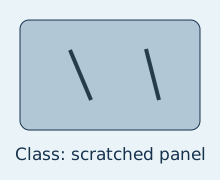
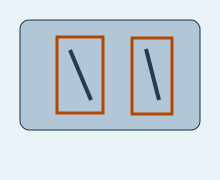
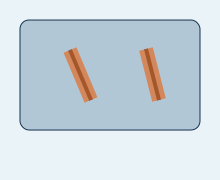
Original illustrative annotations, not predictions from a trained model.
| Task | Question | Typical output |
|---|---|---|
| Classification | What class describes the whole image? | logits [N,K] |
| Object detection | Which objects are where? | per-image dictionaries: boxes, labels, scores |
| Semantic segmentation | What class belongs to each pixel? | logits [N,K,H,W], often under "out" |
The lab explores all three. It performs inference and visualization for detection/segmentation; those demonstrations do not constitute training a custom detector or segmentation model.
Detection and bounding boxes
TorchVision detection models such as fasterrcnn_resnet50_fpn accept a list of image tensors, typically floating [C,H,W] in [0,1]. Their pipeline differs from a classification model's centre crop and manual ImageNet normalization.
Code and details
Given a detection model on the same device as image_float:
detector.eval()
with torch.inference_mode():
    prediction = detector([image_float])[0]
keep = prediction["scores"] >= 0.7
boxes = prediction["boxes"][keep]    # [M,4], x1,y1,x2,y2 in image coordinates
labels = prediction["labels"][keep]
draw_bounding_boxes overlays boxes; it does not detect them. For a straightforward display, pass an unnormalized RGB uint8 image on CPU plus CPU boxes and class-name labels. A higher score threshold removes more candidates and may miss valid objects. It is a decision threshold, not a universal quality setting.
Segmentation and masks
DeepLabV3 can return outputs["out"]. Use class-axis argmax, not a global maximum:
segmenter.eval()
with torch.inference_mode():
    logits = segmenter(preprocessed_batch)["out"]  # [N,K,H,W]
pixel_classes = logits.argmax(dim=1)                # [N,H,W]
target_masks = torch.stack([pixel_classes[0] == i for i in target_ids])
# draw_segmentation_masks(display_rgb_cpu, target_masks.cpu(), alpha=0.4)
preprocessed_batch follows the segmentation weights' contract; target_ids are class indices you selected. Masks are boolean [M,H,W], must align with the displayed image, and the drawing utility is only a visualization. Semantic segmentation distinguishes pixel classes; it does not necessarily separate two instances of the same class.
Three transfer-learning strategies
backbone frozen / new head learnskeep backbone BatchNorm statistics fixedlate block + head learninclude newly unfrozen parameters in optimizerall pretrained layers learnhigher backward and optimizer costIllustration: shapes and operations, not measured model performance.
| Strategy | Updated tensors | Typical reason |
|---|---|---|
| Feature extraction | new classifier head | start cheaply with a small target dataset |
| Partial fine-tuning | head plus selected late blocks | adapt higher-level features to a new domain |
| Full fine-tuning | all pretrained layers | larger adaptation budget / sufficient data |
Full fine-tuning starts from pretrained weights. Training from scratch uses random initialization; the distinction matters even if both update every layer. Early layers often learn reusable local patterns, but how well they transfer depends on the domains.
Replace the head before the optimizer
Freeze the backbone, create a head for your classes, then construct the optimizer from trainable parameters.
Code and details
from torch import nn

model = resnet18(weights=weights)
for parameter in model.parameters():
    parameter.requires_grad_(False)
model.fc = nn.Linear(model.fc.in_features, classes)  # new parameters are trainable
model = model.to(device)
optimizer = torch.optim.AdamW(model.fc.parameters(), lr=1e-3)
For a MobileNet head, the corresponding replacement is model.classifier[-1] = nn.Linear(model.classifier[-1].in_features, classes). If you freeze only .features, other classifier layers can remain trainable. Verify the actual parameter list instead of inferring it from the phrase “head only.”
The backbone still runs during inference. Freezing reduces gradient/optimizer work; it does not remove forward computation or stored weights. Parameter bytes and latency are separate measurements.
Train the head, then fine-tune
- Prepare separate training and validation pipelines consistent with the chosen weights.
- Train the new head and inspect per-class errors.
- Unfreeze a selected late block if validation suggests adaptation is needed.
- Rebuild the optimizer to include newly trainable parameters, normally at a lower backbone LR.
- Compare the same split and keep the best validation checkpoint.
For a ResNet second stage:
for parameter in model.layer4.parameters():
    parameter.requires_grad_(True)
optimizer = torch.optim.AdamW([
    {"params": model.layer4.parameters(), "lr": 1e-5},
    {"params": model.fc.parameters(), "lr": 1e-4},
])
These rates illustrate different adaptation speeds, not a recommended optimum. Rebuilding resets optimizer state unless you deliberately transfer it; record the stage change. Aggressive fine-tuning can overfit or overwrite useful pretrained behavior.
Frozen weights and evaluation mode are different
requires_grad=False freezes parameter gradients. It does not freeze BatchNorm running statistics or disable Dropout. model.train() can therefore change a nominally frozen backbone's behavior.
Code and details
For strict frozen-backbone feature extraction with a ResNet:
model.eval()      # backbone uses fixed BatchNorm statistics
model.fc.train()  # new head is in training mode
# gradients remain enabled for the head; eval() does not disable autograd
Repeat this setup at each training epoch if another call switches the whole model to train mode. For partial fine-tuning, choose which blocks adapt statistics and set their modes deliberately. In Lightning, preserve this policy when its lifecycle switches training mode. Always call model.eval() and disable gradients for validation.
Save the adapted contract
Save weights, architecture, class order, chosen pretrained weight version, preprocessing, training stage and selected validation metric. A weight file alone cannot tell you how to resize images or interpret the new head's output. Check a reloaded model on a known sample.
Check yourself: after replacing a 1000-class head with four outputs, can ImageNet categories label those outputs? No. They now refer to your four target classes in the saved dataset order.
Run the idea: Image augmentation and head training combines impulse noise, a replacement ResNet head, frozen backbone statistics and saved class/preprocessing metadata. Its default is an offline mechanism demo; an optional run uses your images and pretrained weights.
Next, text transfer learning reuses the same freeze/adapt/evaluate idea with a tokenizer and attention mask.
Sources: TorchVision weights and models, transfer-learning tutorial, visualization utilities.